This page was machine-translated from the Japanese original and may contain unnatural wording or errors. View the Japanese page
This page shows the information as of the date it was posted. Later updates may mean that the current screens and steps differ. For the latest information, see the articles linked on this page.
Bulk delete, sort and filter dictionary words
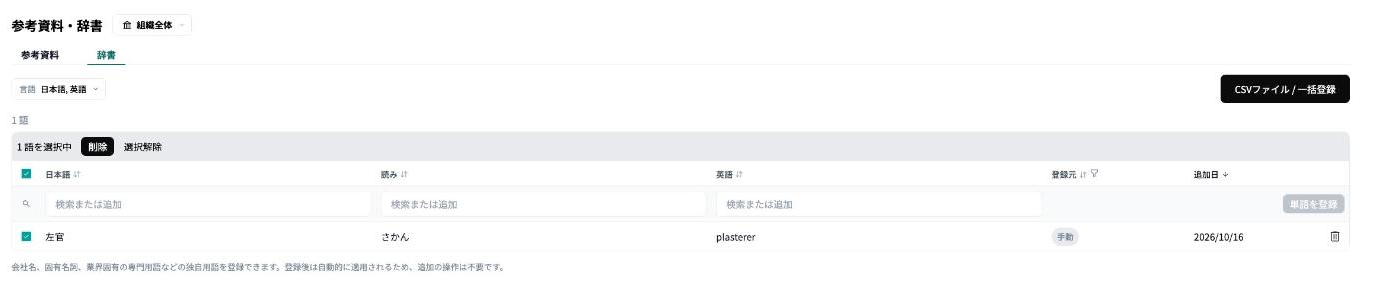
You can now select multiple dictionary words to delete them at once, and sort and filter them.
In the word list on the Dictionary tab, you can now filter by the word you type, filter by registration source, sort by column, and select multiple words to delete them at once.
Even as the number of registered words grows, you can find the word you are looking for easily and clean up words you no longer need in one go.
For details, see Managing dictionary words.