Monthly usage time limits per department
Read this article when
- One department uses a lot of time and quickly uses up the contracted hours
- You want to check and manage usage for each department
- You want to allocate usage time per department instead of applying one limit to the whole organization
You can set monthly usage time limits for interpretation and minutes for each department.
Only organization admins (Admin) can set or change limits. Department admins cannot view or change their own department's limit. The only thing a department admin can do is receive alert notifications for their own department. If department leads could freely change their own allocation, the organization could no longer manage time allocation centrally.
Creating departments and assigning members
Before setting a limit, create departments and assign members to them.
- In the CoeFont Interpreter admin console, click Admin page at the bottom of the left menu.
- Click Department management in the left menu.
- Click New department to create a department.
- Open the department you created and add members with Add members.
A member can belong to only one department. For the detailed department rules, see Departments and Folders.
Setting a usage time limit
- Click Usage in the left menu of the Admin page.
- Click By department to check the interpretation and minutes usage time of each department.
- Click Edit usage limits.
- Enter the limit for each department and save.
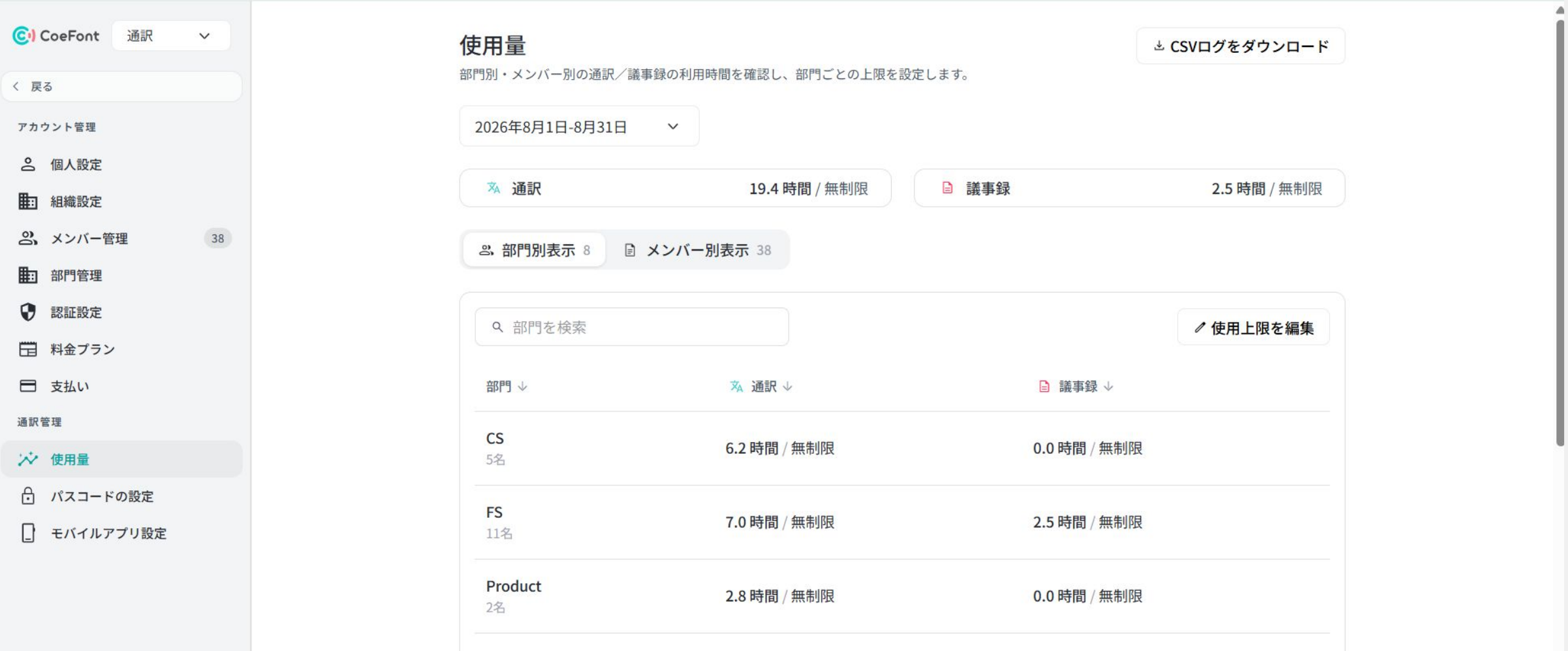
Before setting a limit, check the department's past usage.
What happens when a limit is reached
- If a department's usage time exceeds its limit, members of that department cannot start interpretation or minutes.
- If the limit is reached during use, it stops automatically. The limit is checked about once a minute.
- Departments without a limit are subject to the organization-wide limit.
Alert notifications
Alert notifications are sent automatically. No setup is required.
- When a department's usage time exceeds 80% of its limit, an email is sent to all department admins of that department. Organization admins (Admin) are copied (CC).
- The email states the remaining usage time and the reset date.
- Notifications are sent separately for interpretation and minutes, once per cycle (when usage exceeds 80%).
- Department admins do not receive alerts for other departments.
- A separate 80% alert for the organization-wide usage time is sent to organization admins (Admin).