This page was machine-translated from the Japanese original and may contain unnatural wording or errors. View the Japanese page
Viewing Usage
Read this article when
- You want to check how much interpretation time each member or department has used
- You want to know how much of your contracted time has been used
- You want to download usage as CSV for analysis
You can view your organization's interpretation and minutes usage time on the Usage page of the admin console.
Open the Usage Page
- Log in to the CoeFont Interpreter admin console.
- Click Admin pages at the bottom of the left menu.
- Click Usage in the left menu.
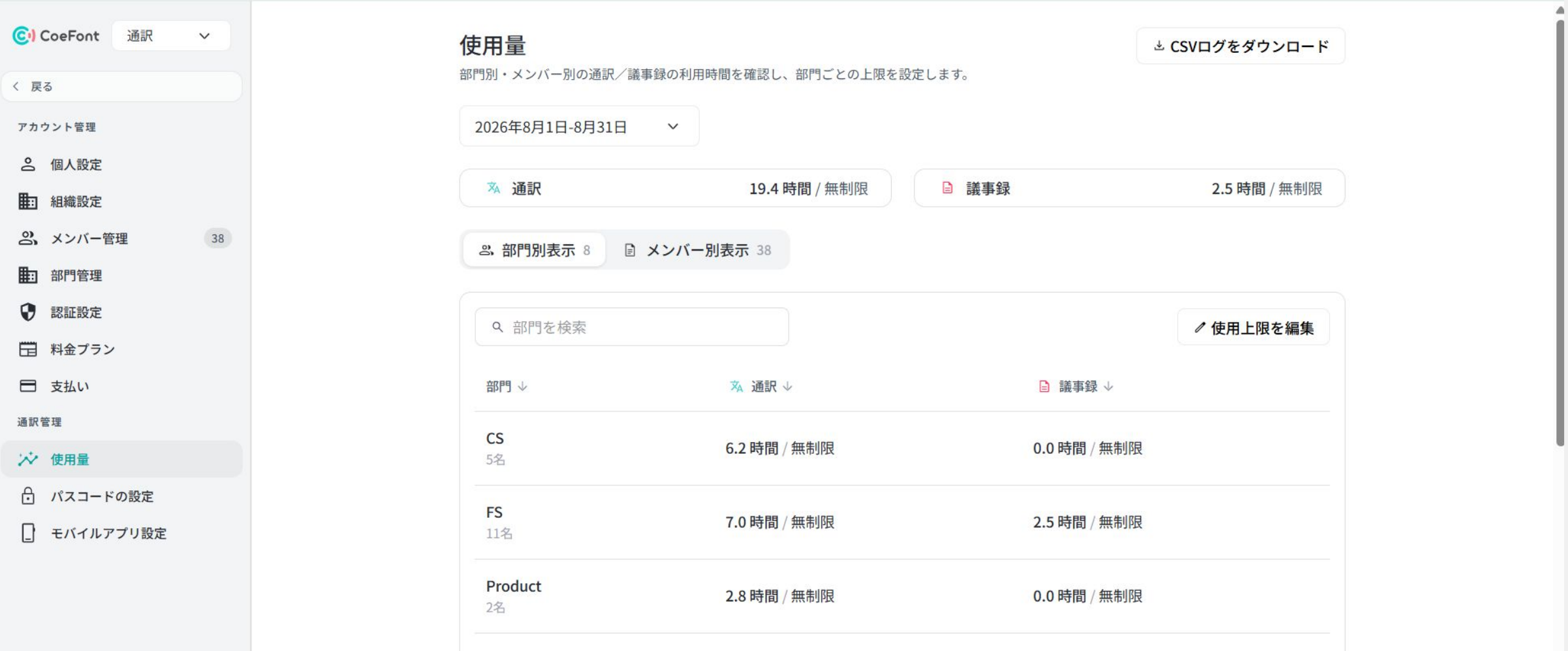
What You Can Check
Select a period at the top of the page to see the usage time for that period.
- Interpretation and Minutes: Usage time and limit for the whole organization
- By department: Interpretation and minutes usage time and limit for each department
- By member: Interpretation time and minutes time for each member
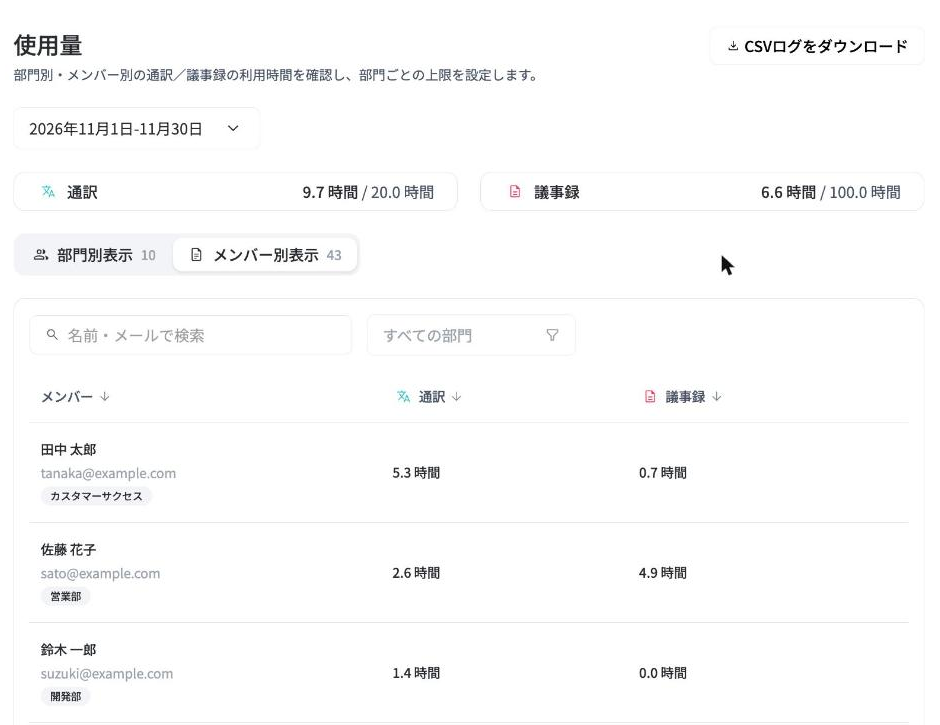
For the apps and modes included in interpretation and minutes time, and how time is counted, see How Usage Time Is Counted.
To learn how to set a limit for each department, see Usage Time Limits by Department.
Downloading Usage as CSV
Click Download CSV log to download usage as a CSV file. The CSV includes the following information.
| Item | Description |
|---|---|
| Email address | The user's email address |
| Usage time (per user, per month) | Monthly usage time for each user |
| Usage date/time and duration per meeting | Date, time, and duration of individual meetings |
| Device information | Information about the devices used |
When data is updated
Usage data is updated once a day, at 1:00 AM. As a result, it may be delayed by up to about one day.
Next Steps
Related Information
Did this article solve your problem?