Join with a Shared URL or QR Code
Read this article when
- The host shared a QR code or URL with you, and you don't know how to join
- You want to know how to read the screen after joining (translation, summary, switching languages)
- You want to know how to avoid feedback and hard-to-hear audio
When the host starts interpretation in the browser, the desktop app, or the Teams Plugin (default mode), a URL and QR code for the translation screen are issued. Participants and guests can use interpretation just by opening them. No CoeFont Interpreter account or app installation is required.
Open the Translation Screen
- Open the URL shared by the host, or scan the QR code with a smartphone or tablet.
- If you are asked for a passcode, enter the passcode shared by the host.
- On the start screen, choose one of the following:
- Start with audio on: You hear the interpreted audio in addition to the translated text.
- Start with text only: Only the translated text is displayed.
- When the translated text appears, you are ready to follow along.
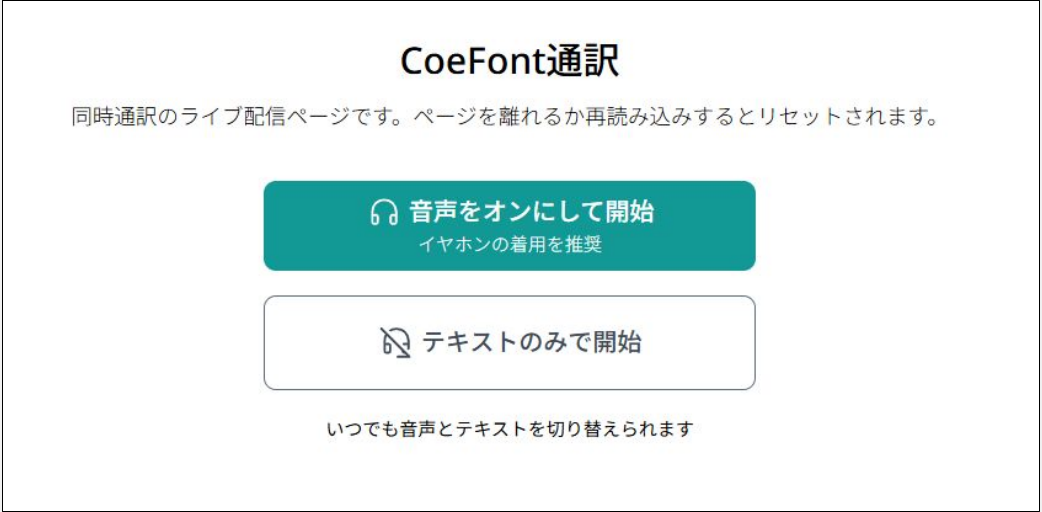
You can turn the audio on or off at any time while participating.
We recommend opening the translation screen in Google Chrome or Microsoft Edge. For supported environments, see System requirements.
Reading the Participant Screen
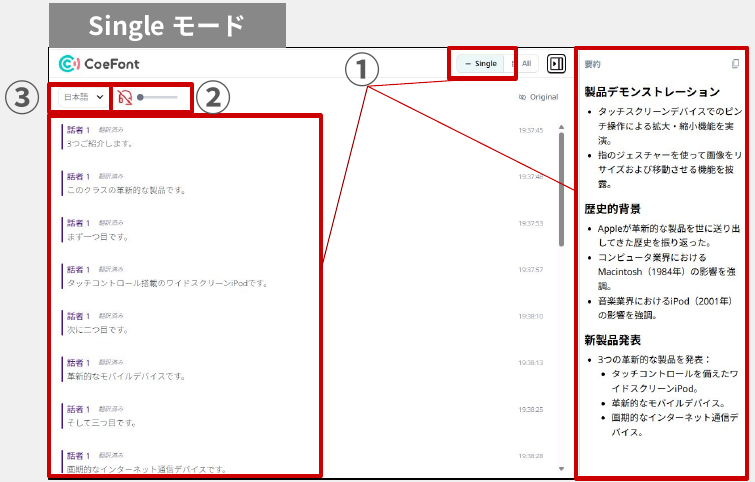
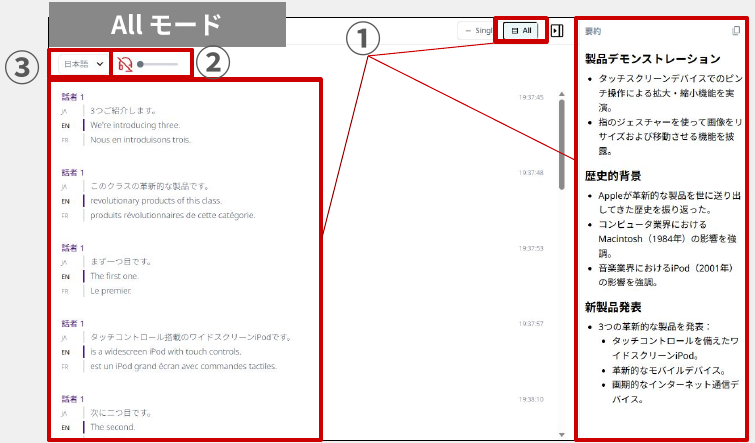
The numbers on the screen (① to ③) correspond to the numbers in the images above.
- Translation and summary (①): The translation appears on the left and the summary on the right. You can view the summary from the start of the meeting.
- Single: Shows only the translation in the language selected in ③.
- All: Shows translations in all languages set by the host.
- Headphone icon (②): Turns the interpreted audio on or off. Use the slider on the right to change the interpreted audio volume. You can't change the volume of the speaker's voice (original audio) here.
- Language (③): You can change the language you listen to even during the meeting. You can choose only from the languages set by the host.
Use a headset or earphones to prevent feedback and audio loops. When you speak, pause between sentences and speak clearly to improve interpretation accuracy.
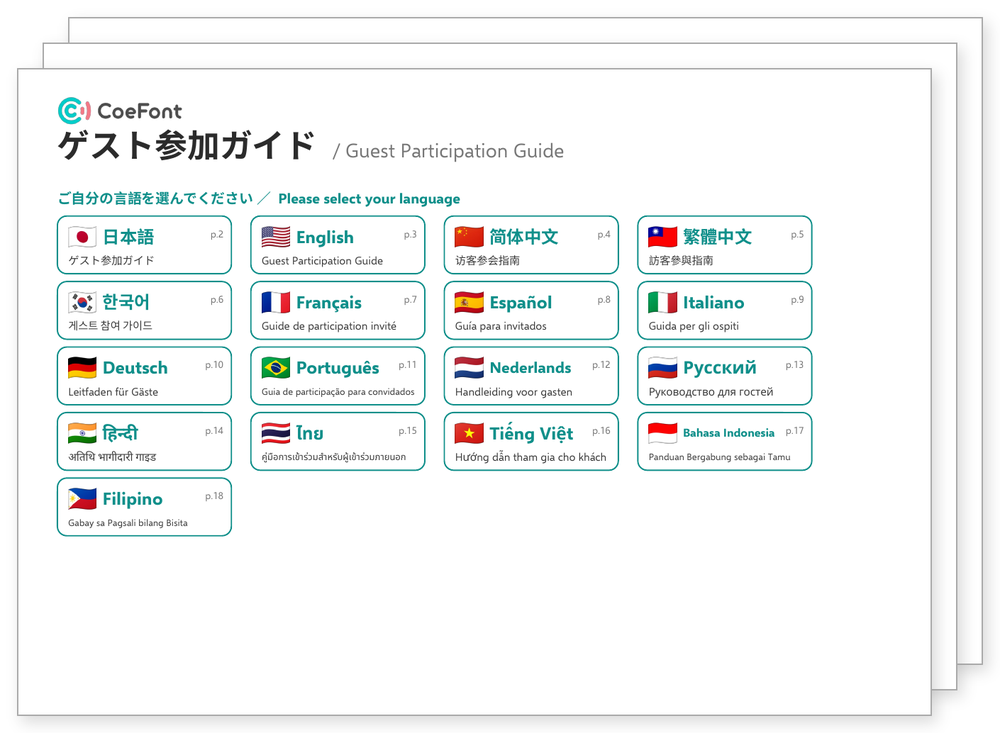
Handout for Guests
A one-page handout that covers how to join and how to read the screen. It is written in 17 languages, so you can hand it out to guests overseas. Use the PDF to hand it out as is, or the PPTX (PowerPoint) to add the meeting URL or QR code before handing it out.