This page was machine-translated from the Japanese original and may contain unnatural wording or errors. View the Japanese page
How Does What I Say Sound to Others? (How Interpretation Sounds)
Read this article when
- You want to know how what you say is interpreted and heard by others
- You are speaking one-way at a conference or seminar and are unsure how it comes across to listeners
A video showing how interpretation sounds
The Basics of How Interpretation Sounds
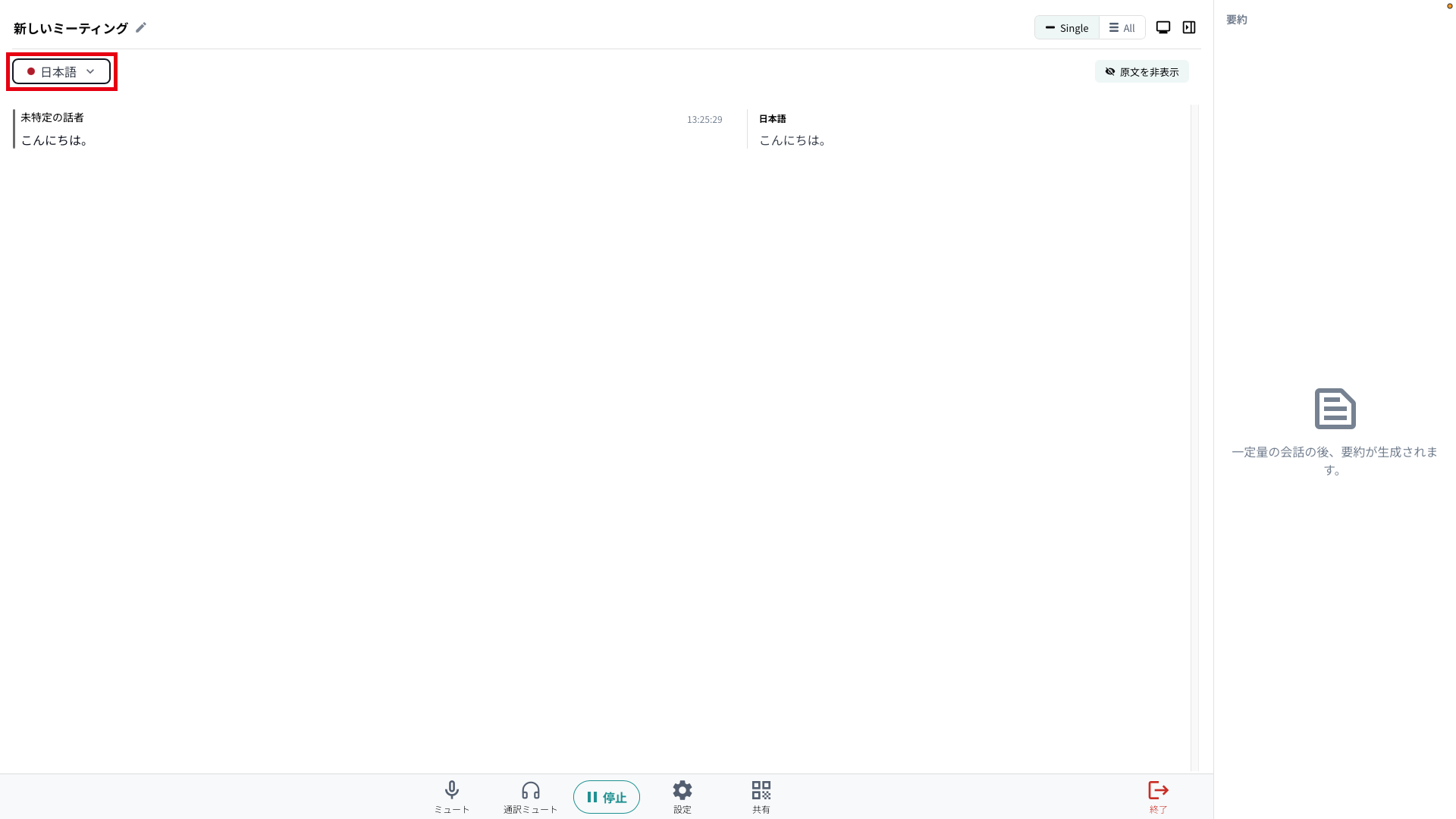
Each participant simply selects the language they want to listen to at the top left of the screen. Whatever language others speak, you hear it in the language you selected. Each participant can choose a different language.
| Language spoken | What you hear |
|---|---|
| Same as the language you selected | You hear it as is (it is not interpreted) |
| Different from the language you selected | You hear it interpreted into the language selected at the top left |
Example: the language at the top left is set to "Japanese"
- Speech in Japanese is heard in Japanese as is.
- Speech in English is interpreted and heard in Japanese.
For details on how to read the participant screen, see Join with a shared URL or QR code. In advanced mode of the Teams Plugin, you select the language to listen to with the Teams "Interpretation language" setting. For the steps, see Listen to interpretation in a Teams meeting.
Next Steps
Related Information
Did this article solve your problem?