This page was machine-translated from the Japanese original and may contain unnatural wording or errors. View the Japanese page
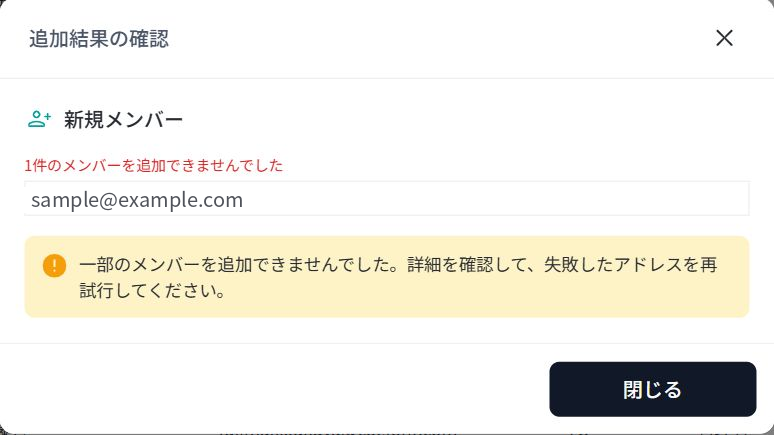
Cannot Invite Members
Read this article when
- "1 member could not be added" appears when you try to add a member
- "Some members could not be added" appears on the confirmation screen for the results
- Adding the same email address again still fails
Cause
Another CoeFont account is already registered with the email address you tried to add. CoeFont allows only one account per email address. For this reason, an email address that duplicates an account someone created earlier on their own (including an account on another CoeFont plan) or an account in another organization cannot be added.
Solution
Organization admins cannot delete the duplicate account
An organization admin cannot delete the duplicate account. The person who owns the account must delete it. If they cannot do this themselves, contact us through the inquiry form.
- Tell the member you tried to invite that an account is already registered with their email address.
- Ask them to delete the account by following Deleting an Account You Created Yourself.
- Once the deletion is complete, the organization admin invites the same email address again by following Managing Members.
- If no error appears on the confirmation screen for the results, you are done.
If the problem persists
Contact us through the inquiry form. Please include the following information.
- The email address you tried to add
- A screenshot of the error screen
- Whether you tried deleting the duplicate account
Related information
Did this article solve your problem?