Cannot Add the Teams Plugin Because "Request" Is Shown
Read this article when
- "Request" appears when you try to add the Teams Plugin, and the addition does not complete
- A message such as "IT admin approval is required" appears
- You cannot proceed with your own account
Cause
Your organization's Teams admin center is set so that external apps require Teams admin approval. In an organization with this setting, when a regular user tries to add an app, it waits for approval and "Request" appears. This is not an error. Even for apps published in Microsoft's app store, whether your organization can use them is determined by the Teams admin's settings. Only a Teams admin can approve.
Solution
Ask your Teams admin for approval
- Save a screenshot of the screen that shows "Request."
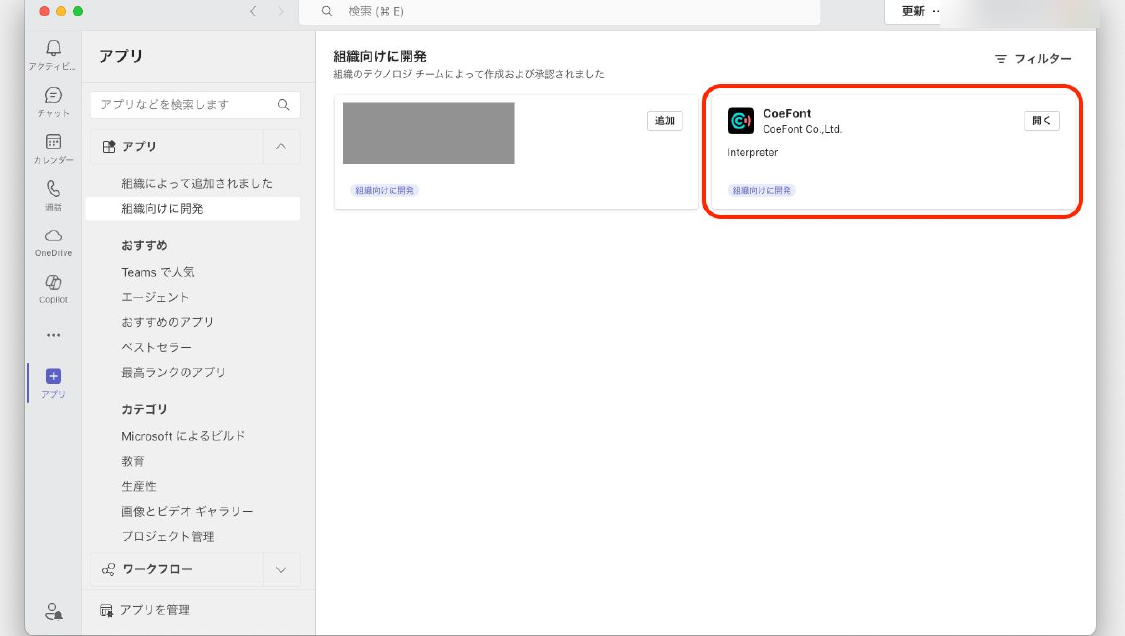
- Share the screenshot with your company's Microsoft 365 / Teams admin.
- Ask the Teams admin to allow (approve) the use of the CoeFont Interpreter app.
For the settings the Teams admin makes, see (For IT Admins) Registering in the Organization's App Catalog.
In the Teams admin center, go to Teams apps → Manage apps, search for "CoeFont Interpreter," and allow its use. If there are pending requests, you can also approve them from the list of app requests from users. You can also limit use to members of specific departments or projects. The Teams admin center screens and terms may change, so also check Microsoft's official documentation for the latest steps.
Add the app again after approval
- After the Teams admin allows the app, search for "coefont" under Apps in the Teams meeting toolbar.
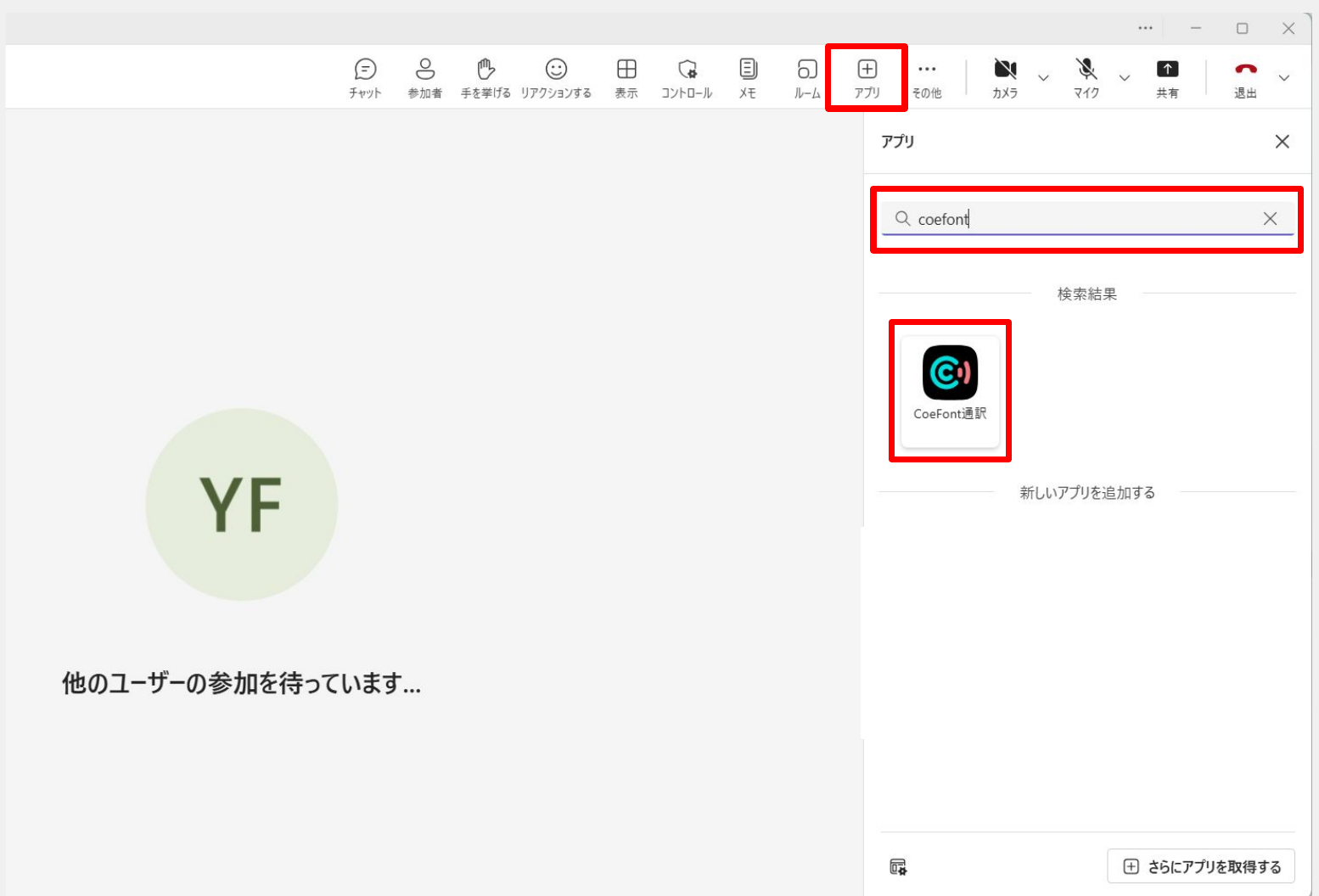
- Add the CoeFont Interpreter app.
- If the app is added without "Request" appearing, you are done.
Anyone can add the app, but to use interpretation you need to log in with a CoeFont account on the Enterprise plan. The Teams Plugin is linked to the CoeFont account of the person who added the app.
If the problem persists
Contact us through the inquiry form. Please include the following information.
- A screenshot of the screen that shows "Request"
- Whether you asked your Teams admin for approval, and the result