This page was machine-translated from the Japanese original and may contain unnatural wording or errors. View the Japanese page
(For IT Admins) Register the App in Your Organization's App Catalog
Read this article when
- You want to register the CoeFont app in your organization's Teams
- You want to distribute the app to your organization as an app file instead of through Microsoft Marketplace
This page describes how an IT admin registers the CoeFont app in a Microsoft Teams organization. You only need to do this once, the first time.
Prerequisites
- An account with Microsoft Teams administrator (Teams Administrator) permissions
- The CoeFont app file (
coefont_teams_plugin.zip)
Getting the app file
The app file is distributed on request. Request it through the contact form.
Uploading the app to your organization's app catalog
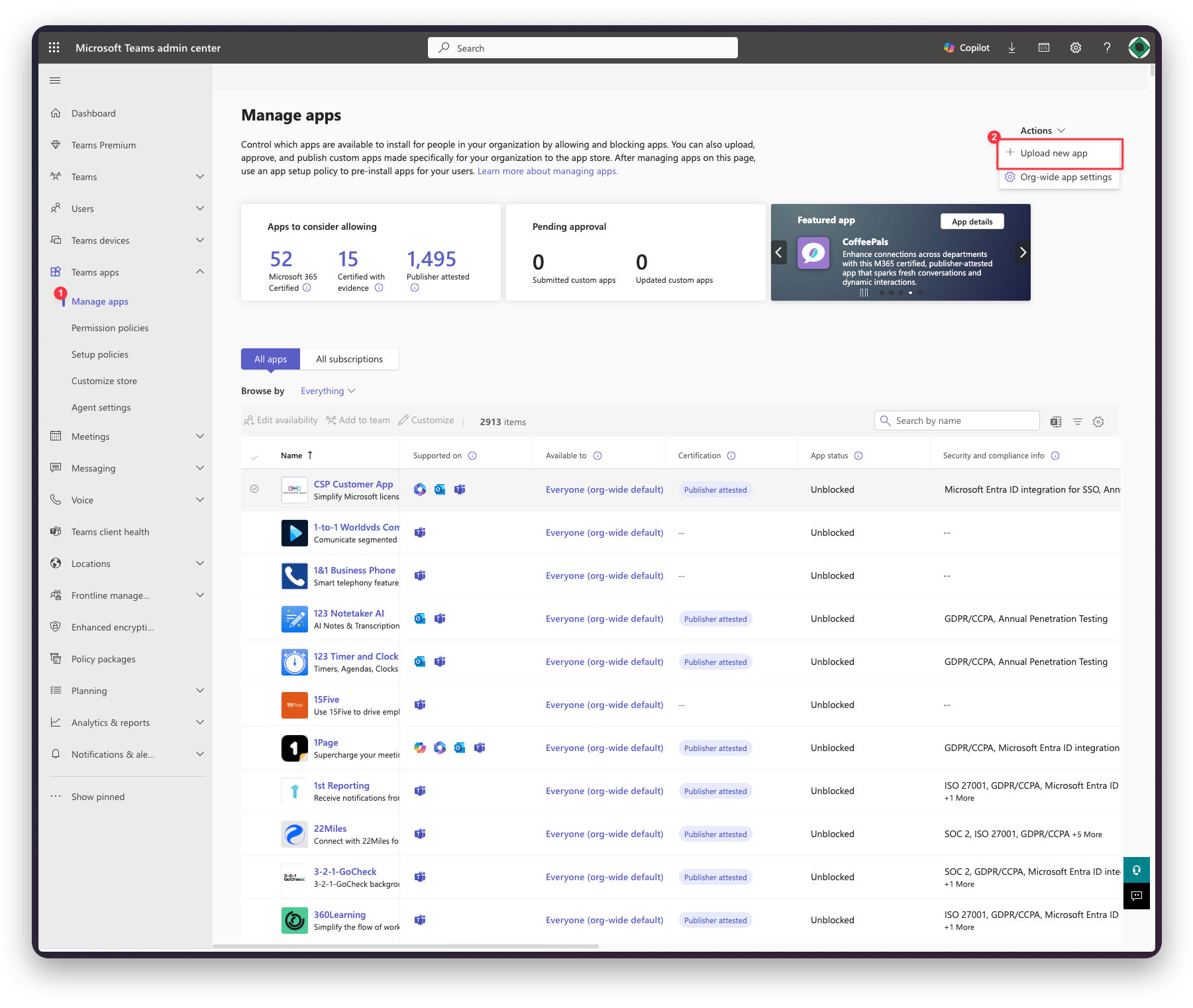
- In your browser, open Manage apps in the Teams admin center.
- Select "Upload new app".
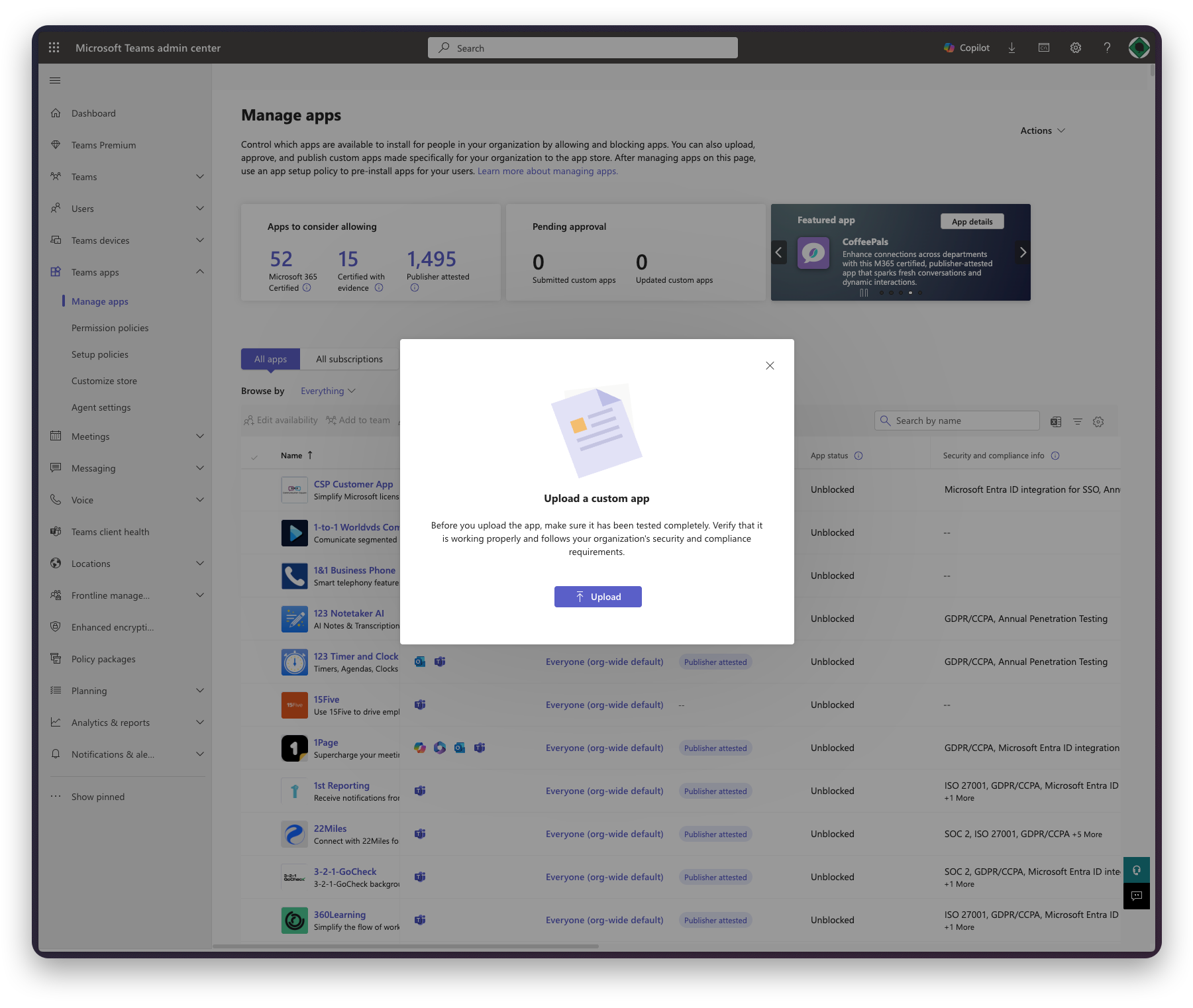
- In the dialog that appears, select "Upload".
- Select the
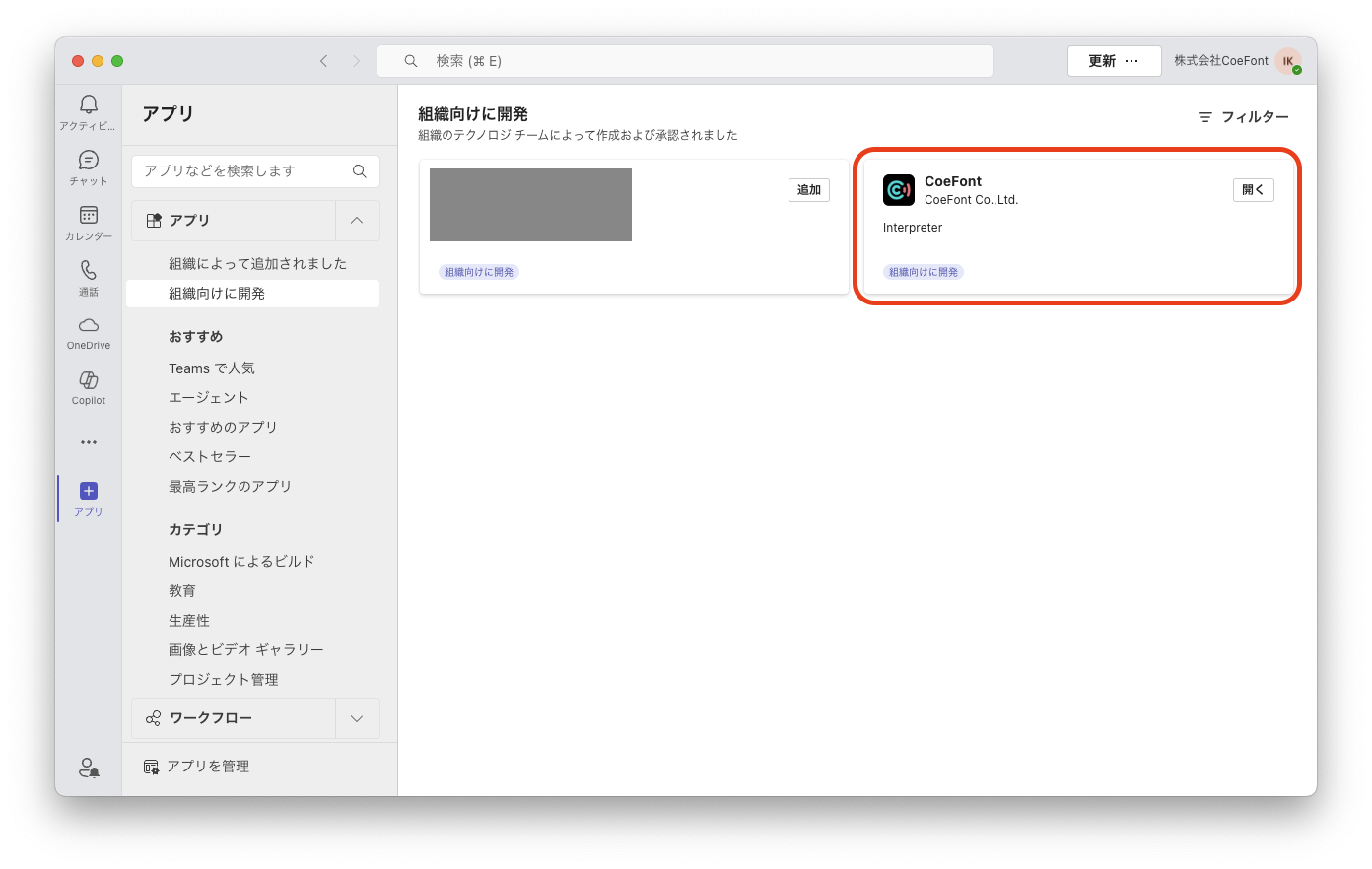
coefont_teams_plugin.zipfile you received, and upload it. - In the Teams desktop app, check that "CoeFont" appears in the app list. You're done.
Do not unzip the file
Upload coefont_teams_plugin.zip as a zip file, without unzipping it.
To allow only users in specific departments to use the app, see Teams Plugin shows "Request" and the app can't be added.
Next steps
Related information
Did this article solve your problem?